Meta Lead Ads: How to optimize for qualified leads

Your form brings in leads. The cost per lead looks good. Then you get on a call and find out the budget or the project doesn't fit. Some contacts never pick up at all.
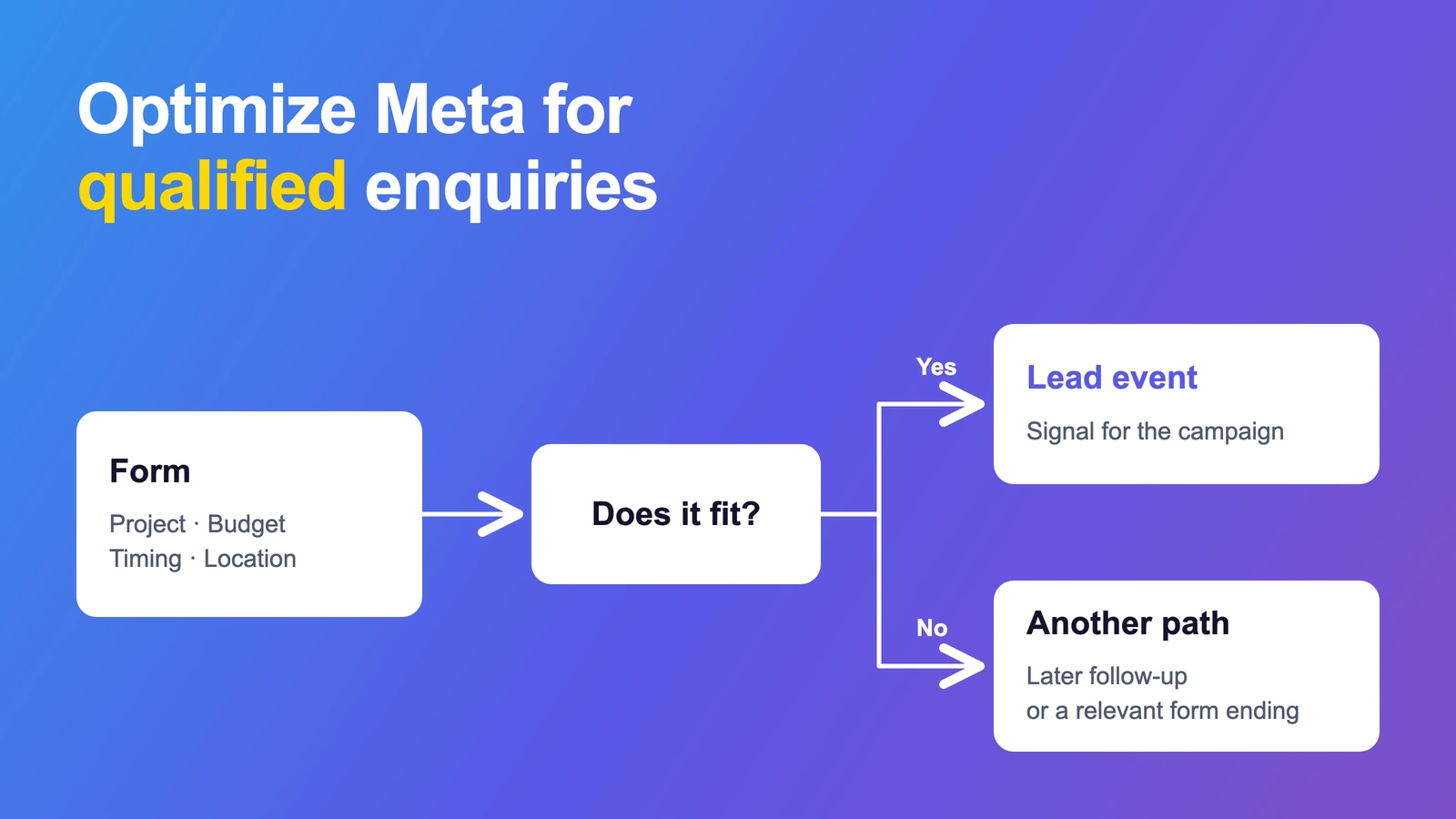
If every submitted enquiry triggers the same success event, Meta misses the distinction that matters to you. You can build it into the form: answers that fit take the lead path. Other answers take a different route.
To make that change useful for your campaign, your form logic, tracking and optimization goal need to work together. Here's how to set it up on your website and in a Meta Instant Form.
How do you tell Meta which leads fit?
First, define which answers fit your offer. Only that form path triggers the chosen optimization signal after a successful submission. In Instant Forms, you can filter out unsuitable answers before submission. If you qualify leads later on a call, you need CRM feedback and the right campaign goal.
What counts as a qualified lead for you?
“Filled in the form” often isn't enough. Ask about the things that decide whether you can work with this person.
That could be the project, budget, desired start date or service area. Every question should affect what happens next. If the answer doesn't change your next step, you probably don't need it for this filter.
A fictional example: A contractor wants enquiries for complete bathroom renovations. For this campaign, they choose these criteria:
| Criterion | Answer that fits this campaign |
|---|---|
| Project | Complete bathroom renovation |
| Location | Within the contractor's service area |
| Budget | At least €15,000 |
| Timing | Planned start within the next three months |
The amounts and timeframes are made up. They are neither an industry benchmark nor a pricing recommendation. Set your own limits based on your offer and capacity.
In this example, all four answers need to fit. Enough budget doesn't make up for a project outside the service area. A missing answer doesn't count as a yes either.
At this stage, the person is prequalified. You still need a conversation to confirm that the project fits and the budget is available.
Give each answer a useful next step
You've set the rules. Now build the paths.
| Answers | Next step |
|---|---|
| All criteria met | Submit the enquiry and trigger the chosen lead signal |
| Project fits, start date is later | Offer a later follow-up or relevant information |
| Requested service isn't offered | End the path with a clear explanation |
| An important answer is missing | Ask for it or treat the enquiry as unresolved |
Someone who wants to start in a year could become a good customer later. For this campaign, they don't meet the same criteria as someone with a project ready to go.
Keep those differences in your contact records too. If you save enquiries for later, give them their own status and next step.
Website forms: Trigger the right event
On your website, you control which event gets sent after an enquiry. An event tells Meta that a particular action happened.
For our example contractor, the rule could be:
Enquiry saved successfully + all four criteria met → Send the Lead event
A saved enquiry with a later start date doesn't get this event. You can keep it in your CRM or record it separately. The campaign optimizes for the selected Lead event.
Check three places:
- The form: Are all answers checked and the enquiry saved successfully? Clicking “Submit” alone must not trigger success.
- The tracking: Does a plugin, Tag Manager or another integration also send a Lead event for every enquiry? That would bypass your filter.
- The ad set: Is the filtered event actually selected as the optimization goal? Creating it and seeing it in a report isn't enough.
You can also record all enquiries with a general event and use a separate signal for those that fit. That signal needs to be available and selected as the optimization goal in your setup. “Also sent” doesn't mean “optimized for.”
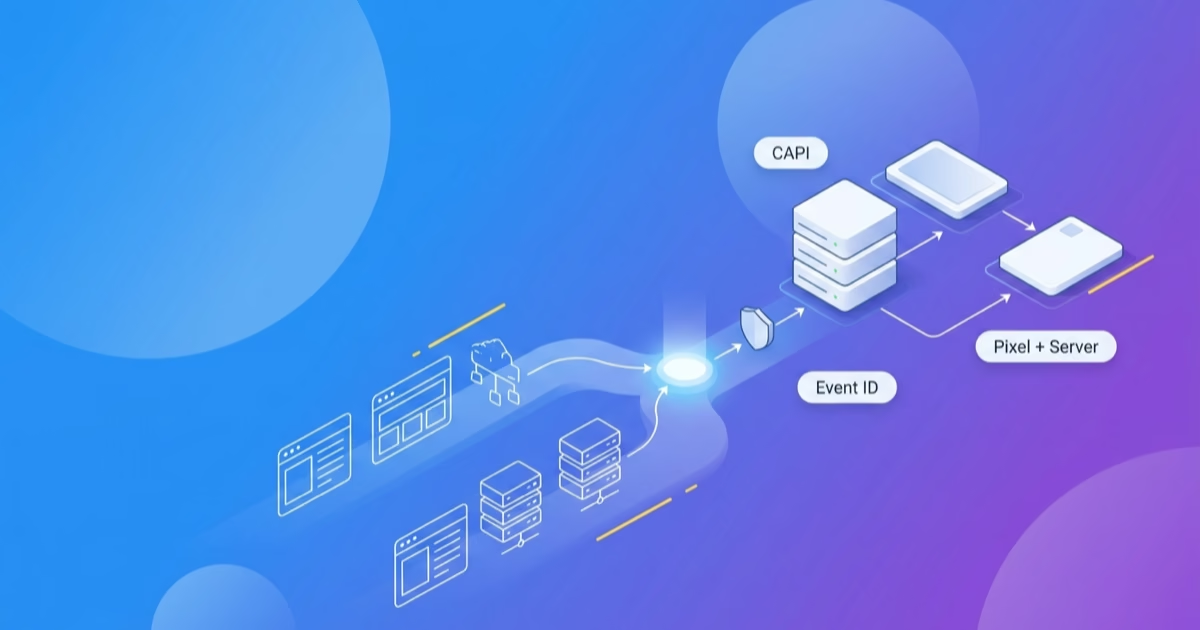
If you use the Pixel and Conversions API, both need to follow the same rule. If the same action is sent from the browser and the server, it also needs to be recognized as one event. See our server-side tracking and CAPI guide for how to check that handoff.
Tag Manager: What belongs in the data layer?
If you run your website tracking through Google Tag Manager (GTM), GTM also needs the data for your filter. Having the answers in the form or CRM doesn't make them available to GTM. The data layer passes an event and the values Tag Manager uses to decide which tag should fire. Google: Data layer.
You have two options:
- Your form logic checks the answers: Pass the form ID and the prequalification result, for example
lead_qualified: true. GTM doesn't need all the answers again for this filter. - GTM checks the criteria: The values it needs must be in the data layer, such as the budget range, start timeframe and whether the project and location fit. Without those values, GTM can't evaluate the filter.
For our example, the form logic makes the decision. It passes the result only after the enquiry has been saved successfully. For an enquiry that fits, the handoff looks like this:
window.dataLayer = window.dataLayer || [];
window.dataLayer.push({
  event: 'lead_form_success',
  form_id: 'bathroom_renovation',
  lead_qualified: true
});
true is a Boolean here, not text. The names are examples and must match in your form and GTM. This snippet shows the handoff. Your form needs to check the answers and save the enquiry before it runs.
Set up three things in GTM:
- Data Layer Variables for
form_idandlead_qualified. - A Custom Event trigger for
lead_form_success. It fires only whenform_idmatches the form andlead_qualifiedistrue. - Your Meta Lead tag, using that trigger. In this example, it sends the previously selected
Leadevent. Google: Custom Event trigger.
Set lead_qualified to true only when all criteria are met. For every other successfully saved enquiry, explicitly pass false. Put the event and values in the same push. Otherwise, a second submission on the same page could still have the previous enquiry's result in the data layer.
A data layer event isn't a Meta event yet. Your tag sends the selected signal. The filter values don't have to be sent to Meta or GA4 as event parameters. This example doesn't need names, email addresses or free-text answers. The trigger doesn't replace your Meta tag's consent rules either.
This applies to website forms. A Meta Instant Form doesn't pass through your website's data layer. And if your backend sends qualification feedback directly to Meta, it doesn't need a browser data layer push for that.
Instant Forms: Filter before submission
With an Instant Form, the form stays on Facebook or Instagram. Use form logic to create a lead path and a path that ends without a lead submission. Meta describes lead filtering based on multiple-choice answers. Meta: Lead filtering.
For our example, someone planning a complete bathroom renovation within the service area can submit if they also confirm the budget and timing. An answer outside the rules leads to a different form ending before submission.
An extra question alone isn't a filter. If every answer still allows the same submission, you still get the same native lead submissions.
Once an Instant Form has been submitted, Meta knows about that lead. Filtering it out in your CRM later doesn't undo the submission.
If you also want to collect contacts for later, you can let them submit too. You'll then need CRM qualification feedback to tell Meta about the different outcomes. Filtering before submission and CRM feedback afterwards are two separate approaches. Meta Lead Generation Guide.
When qualification happens on the call
Some questions need a conversation. Perhaps the person misunderstood the budget. Perhaps they want a different service from the one they selected.
Create a clear CRM status, such as “Project and budget confirmed on the call.” The right integration sends this stage back to Meta through the Conversions API. It must be linked to the original lead. A Meta integration example shows this feedback using the lead ID and status changes.
For Instant Forms, this also means using the appropriate performance goal for conversion leads or qualified leads, where available for your account and integration. Meta describes the combination of CRM integration, Conversions API and lead quality optimization. Meta: CRM and lead quality.
A connector that only copies new enquiries into your CRM doesn't handle this feedback.
Choose a stage that helps you assess quality and happens regularly. If completed jobs are rare, they may be too sparse to serve as your only optimization signal. An earlier, clearly defined qualification stage can make more sense. Check which signals your setup supports and how long the feedback takes.
Test the paths before putting budget behind them
Send controlled test enquiries through the form. Then check the form, CRM and Events Manager. If you use GTM, include Preview with Tag Assistant.
| Test case | What to check |
|---|---|
| All answers fit | Exactly the chosen success signal arrives |
| Budget doesn't fit | The signal for qualified enquiries isn't sent |
| Timing doesn't fit | The intended alternative path works |
| A required answer is missing | The enquiry isn't automatically marked as a fit |
| The form returns an error | No success signal is sent |
| GTM controls website tracking | The success event has the current qualification values; the Meta tag fires only for matching answers and when consent conditions are met |
| An unsuitable enquiry follows a suitable one on the same page | lead_qualified is set to false; the Meta Lead tag doesn't fire again |
| Qualification happens later in the CRM | The feedback is linked to the correct lead |
For Instant Forms, also check that the non-lead path actually prevents submission. For website forms, check whether a second integration bypasses your filter.
A higher cost per lead can still pay off
If fewer people can submit the form, the cost per enquiry can rise. Use the same qualification rule in both versions to judge the result.
Fictional calculation, not results from a client account:
| Metric | Previous form | Form with qualification |
|---|---|---|
| Ad spend | €1,000 | €1,000 |
| Submitted enquiries | 100 | 40 |
| Suitable enquiries confirmed on a call | 10 | 20 |
| Ad spend per enquiry | €10 | €25 |
| Ad spend per confirmed suitable enquiry | €100 | €50 |
The second version delivers fewer enquiries. In this calculation, it brings twice as many confirmed suitable contacts for the same ad spend.
That doesn't tell you the profit yet. Keep going: How many contacts become customers? Which jobs do you win? What's left after delivery and acquisition costs? Our CAC guide helps you account for the full cost.
Compare contacts that have had enough time for follow-up and qualification. Five new enquiries from today aren't a useful comparison with a month of fully processed contacts.
Review your criteria too. If you filter out lots of people who would have bought later, the filter is too tight. If suitable contacts don't get a call back, fix the follow-up process.
Frequently asked questions about Meta lead qualification
Is a budget question enough?
The question gives you an answer. For optimization, it needs to change something: the form path or the signal that gets sent. If every answer leads to the same outcome, you've only collected more information.
Do unsuitable enquiries need to be deleted?
You can follow up with saved contacts separately, for example for a later start. Just make sure they don't accidentally trigger the same qualification signal. With an Instant Form, you can also prevent submission in the first place.
What does a secondary event mean in Meta?
Here, it means a separate event that this campaign doesn't optimize for. Calling it secondary doesn't create a special Meta setting. Check which goal is selected in the ad set.
Will Meta only bring qualified leads after this?
The right signal helps Meta direct delivery towards the selected action. Form answers are still self-reported. Keep checking contactability, actual needs and closed deals in your CRM.
Which enquiries do you actually want?
Write down your criteria. Build the form paths. Check the event and campaign goal. Then measure which enquiries become customers.
Want to set this up for your business? Let's talk. Tell us which customers you want to win and where things get stuck. We'll look at the campaign, form and steps through to the sale together.